This article explains how to use an Incognito or Private window.
We highly recommend using an Incognito, or Private, window to sign on to your REF account or to do any REF work. Even though this is an extra step it will keep your REF work separate from your work, or personal, account which will avoid potential account clashes.
If your institution/organisation blocks the use of incognito/private windows, then please use a separate browser for REF work, as this will help to prevent account clashes.
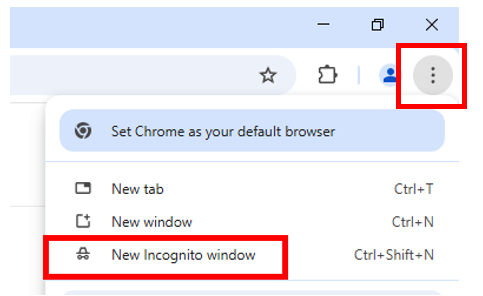
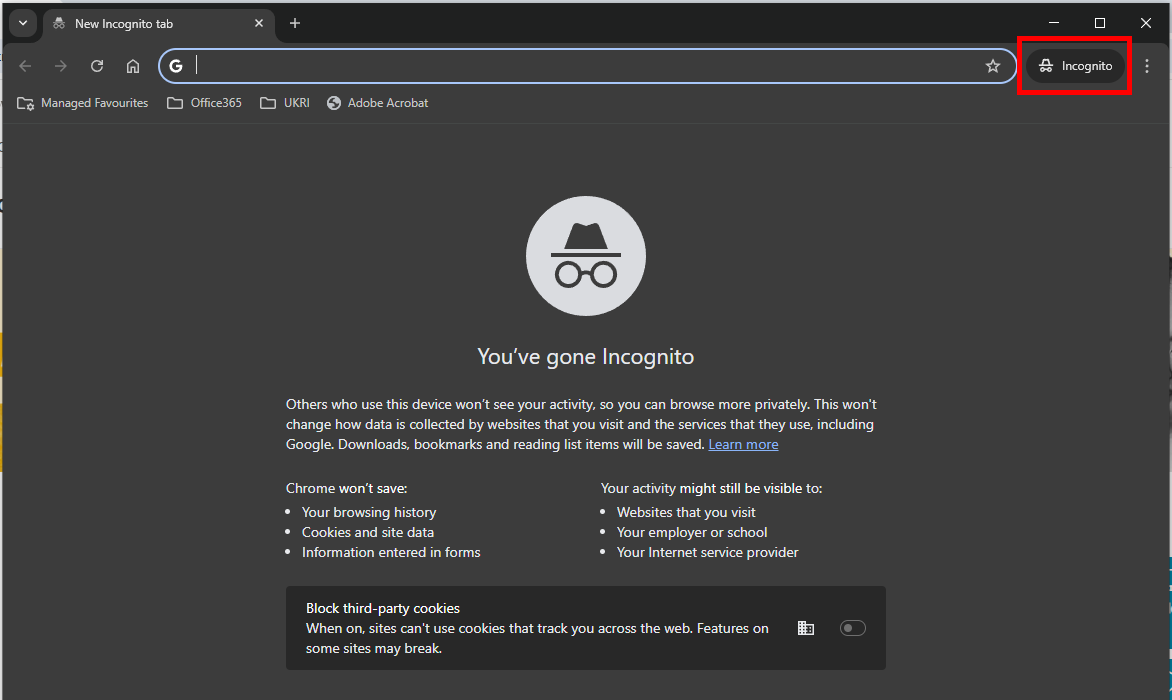
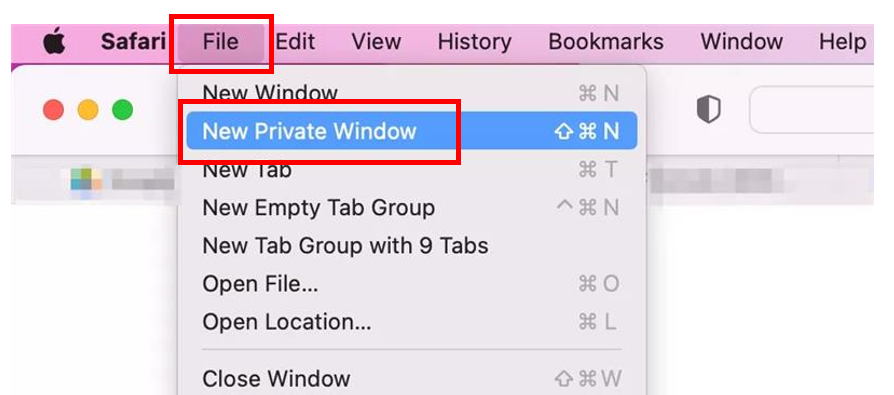
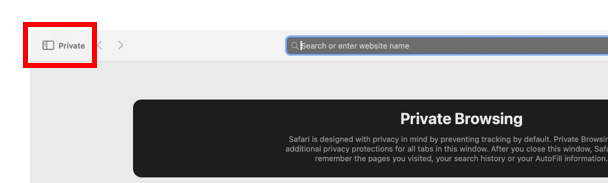
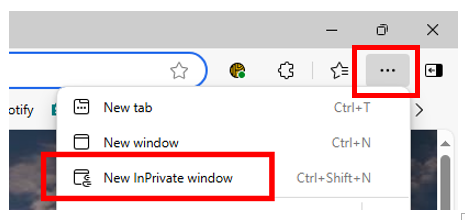
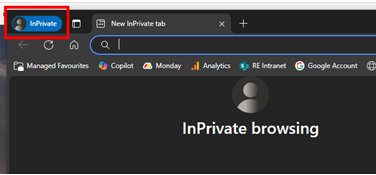
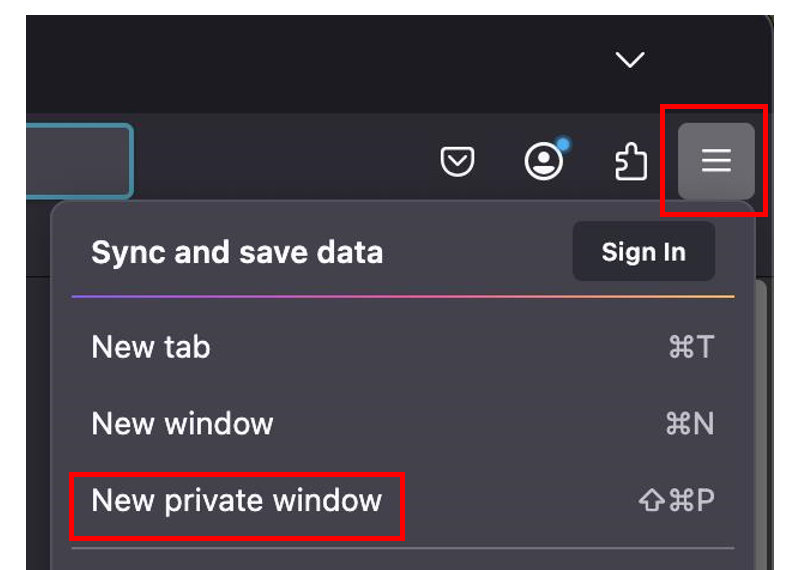
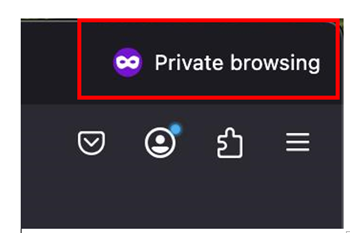
This article has details of how to open an Incognito or Private window in the following browsers. The exact steps may vary slightly depending on the version of the browser you are using.
If you use any other type of browser and can’t find how to open a private window, please contact: usersupport@ref.ac.uk.
Chrome
|  |
|  |
Safari
|  |
|  |
Edge
|  |
|  |
Firefox
|  |
|  |
We want to make these articles as helpful as possible so please use the Yes/No buttons below to give us feedback.
Was this article helpful?
That’s Great!
Thank you for your feedback
Sorry! We couldn't be helpful
Thank you for your feedback
Feedback sent
We appreciate your effort and will try to fix the article