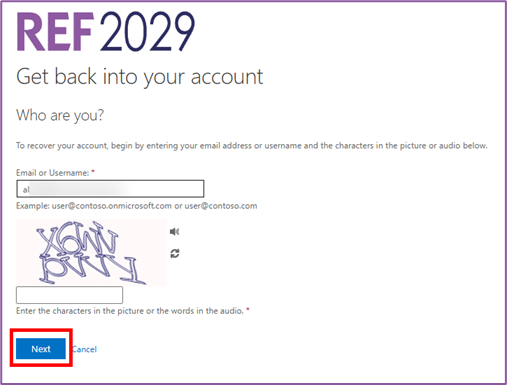
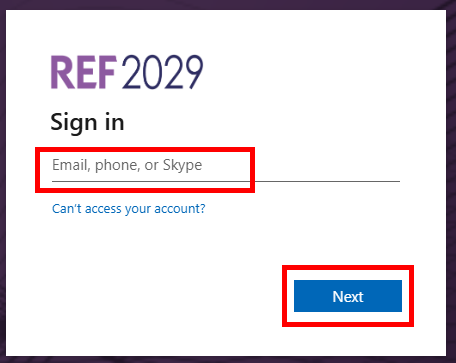
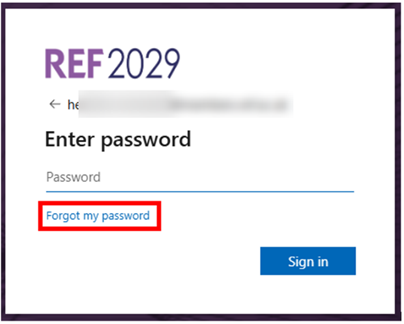
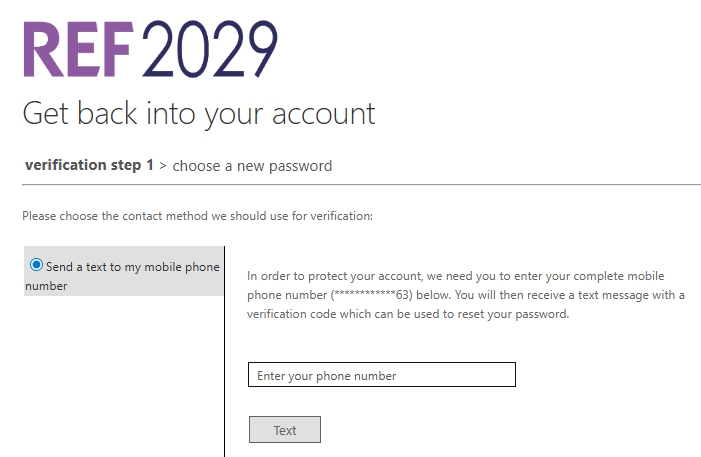
This article explains what to do if you have forgotten the sign-in password for your REF account.
You can use the same method if you want to change the password on your REF account.
We highly recommend using an Incognito or Private window to do any REF-related work.
If you have any problems with this process, we recommend closing your browser window and starting again with a new Incognito or Private browser window. If the issues persist, please contact usersupport@ref.ac.uk.
|
|
| |
|
 |
|
|
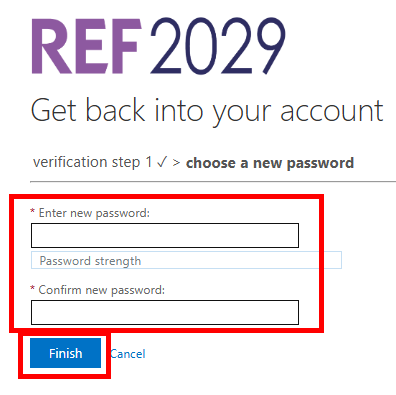
Your password must be at least eight characters long and must contain three of the following:
|
|
|
|
|
|
If you have any problems with this process, we recommend closing your browser window and starting again with a new Incognito or Private browser window. If the issues persist, please contact usersupport@ref.ac.uk.
We want to make these articles as helpful as possible so please use the Yes/No buttons below to send us feedback.
Was this article helpful?
That’s Great!
Thank you for your feedback
Sorry! We couldn't be helpful
Thank you for your feedback
Feedback sent
We appreciate your effort and will try to fix the article