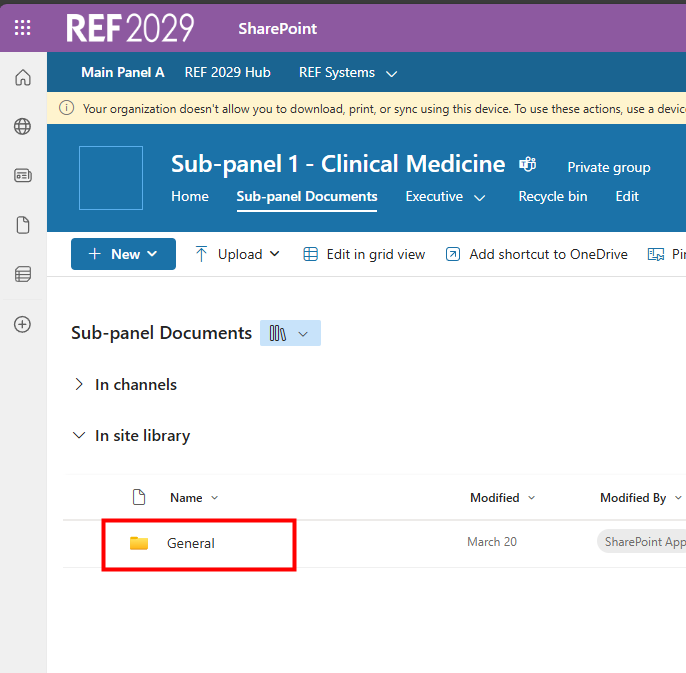
The agenda and related files for any panel meeting will be saved within SharePoint on the REF Hub so you can easily access them. Other shared files may also be saved in the same area.
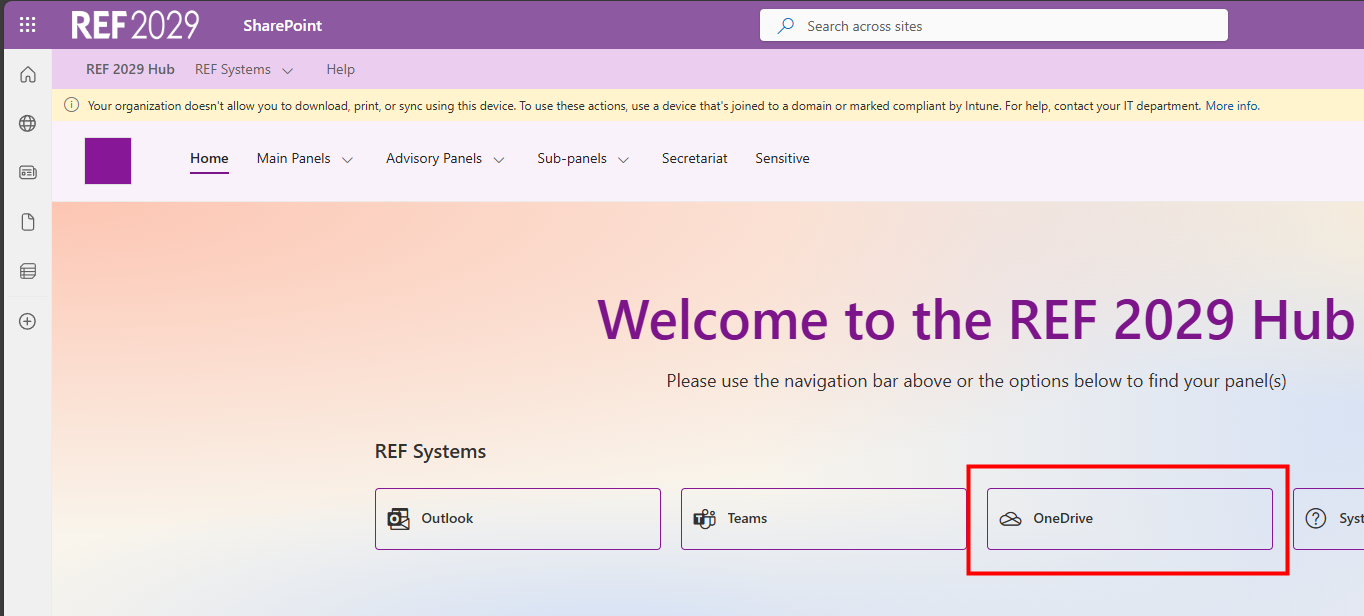
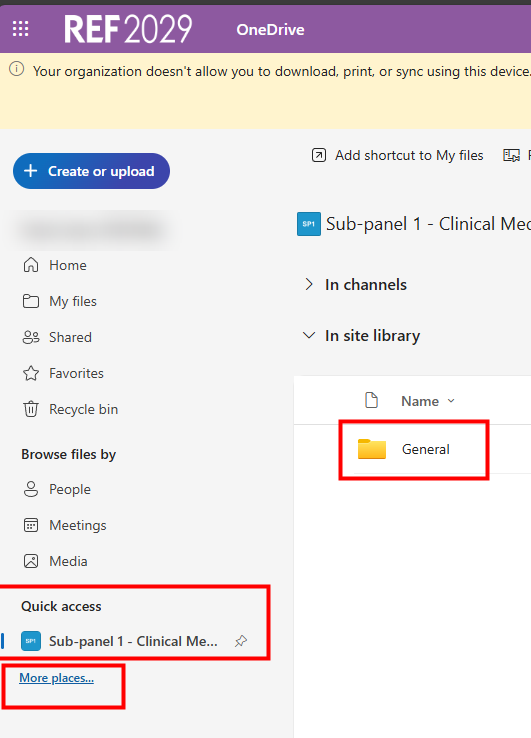
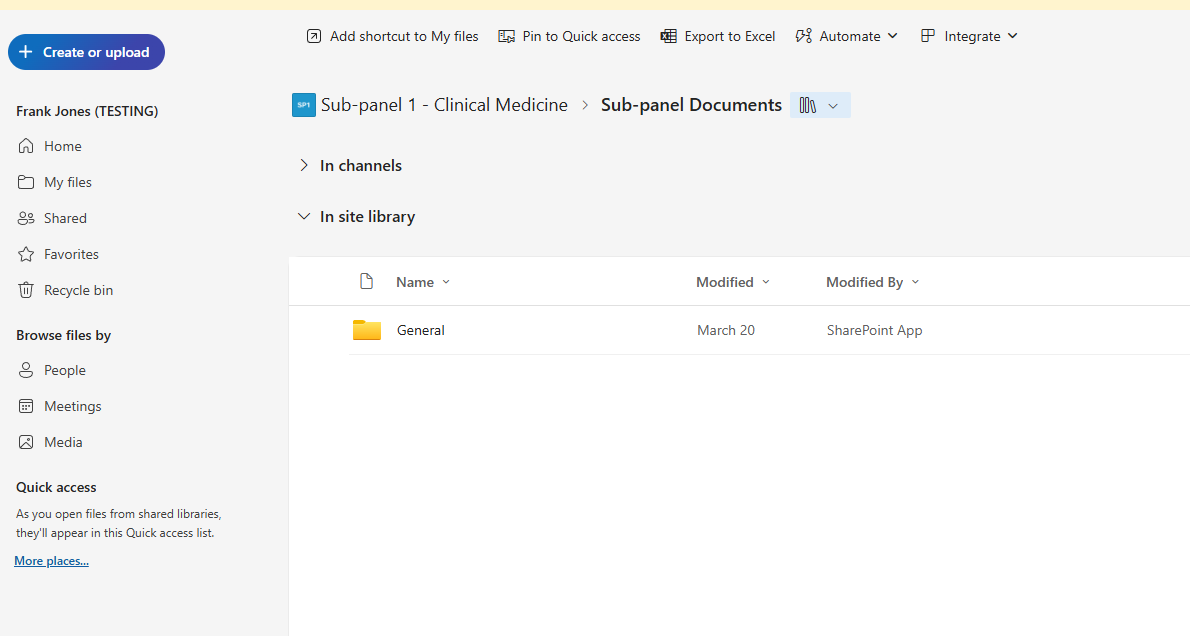
There are several ways of accessing the files but each route leads to the same area/files.
If, at any stage, you click on an area that you do not have access to, you will see the Access Denied message.
Route 1 - from the Hub
| 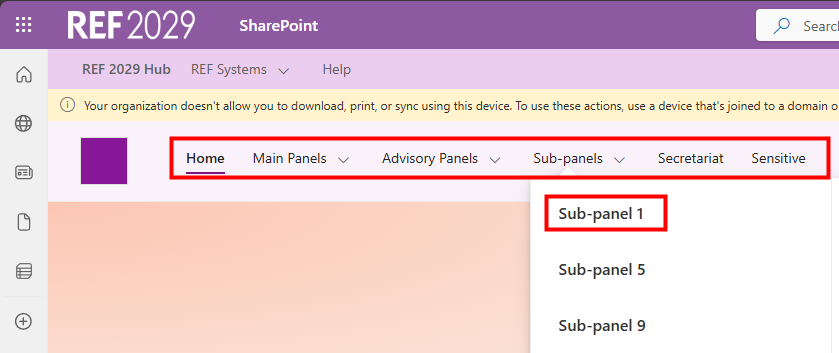 |
| 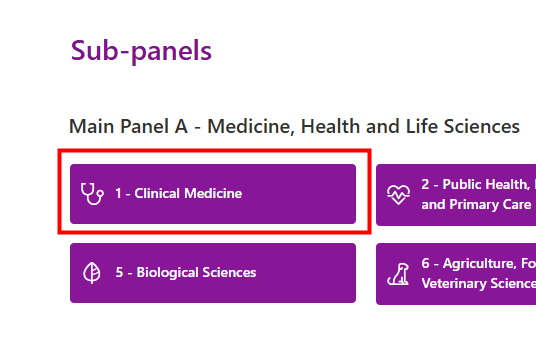 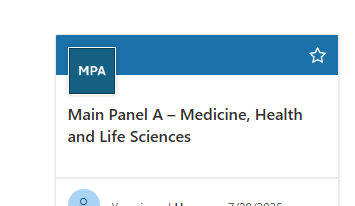 |
| 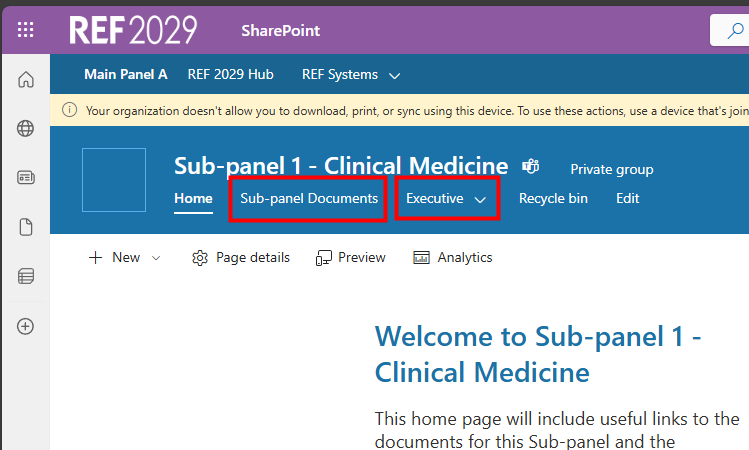 |
|  |
Route 2 - from OneDrive
|  |
|  |
|  |
Route 3 - from Teams
| 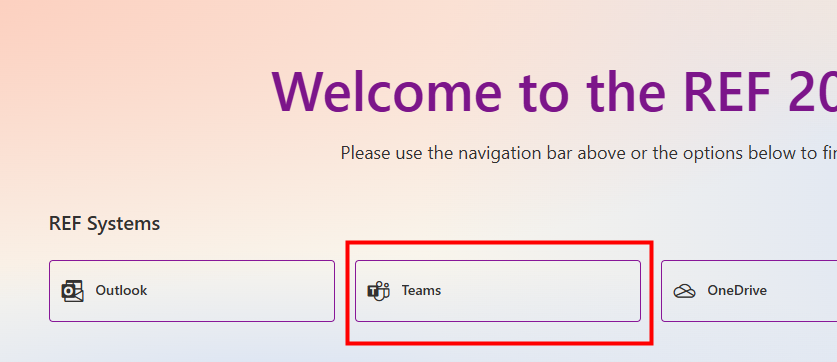 |
| 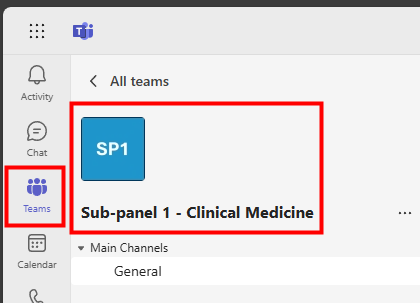 |
(If you are a sub-panel member then you may only have one area listed here) | 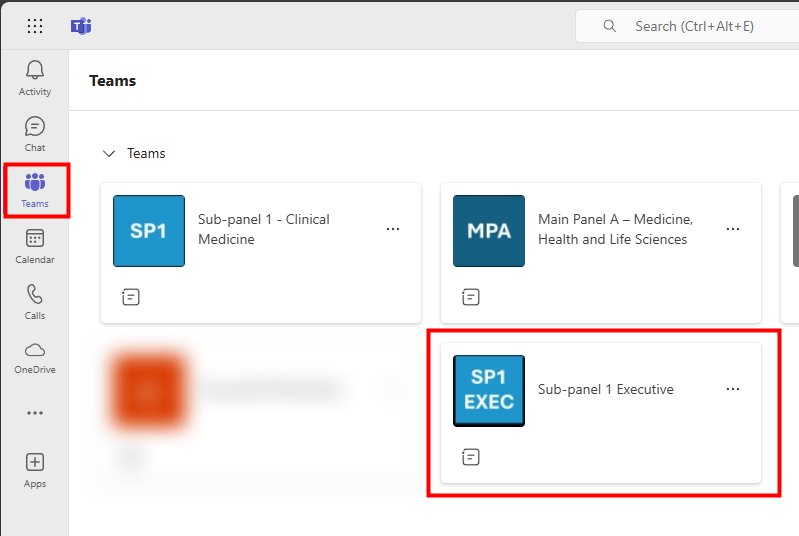 |
| 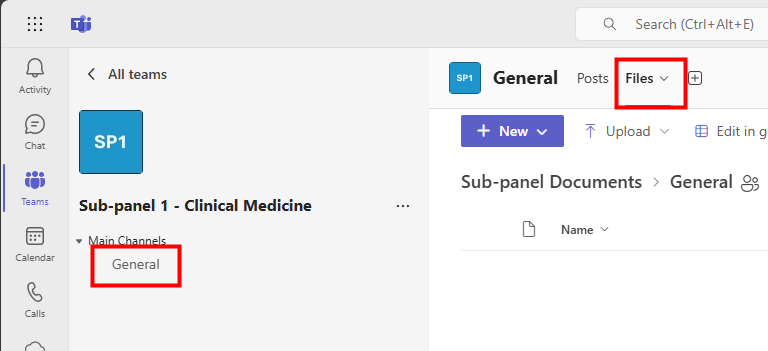 |
We want to make these articles as helpful as possible so please use the Yes/No buttons below to send us feedback.
Was this article helpful?
That’s Great!
Thank you for your feedback
Sorry! We couldn't be helpful
Thank you for your feedback
Feedback sent
We appreciate your effort and will try to fix the article