Send an email to everyone on a panel/sub-panel

Modified on Tue, 29 Jul at 5:02 PM

We have set up distribution lists so you can easily send an email to everyone on a panel/sub-panel.  


Here are two ways of selecting a distribution list to email all members of a panel/sub-panel: 


Method 1


  • Create a new email and click in the To field
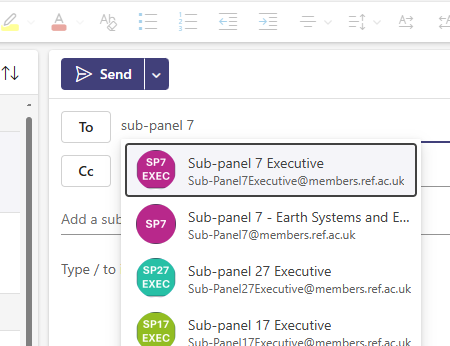
  • Start typing the name of the panel or sub-panel 
  • Every panel and sub-panel has an Executive so if you want to email the entire panel then make sure you select the panel itself, (In this example you would select Sub-panel 7 - Earth Systems and E...)


Method 2

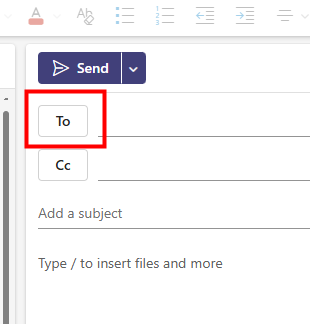
  • Create a new email and click on the To button
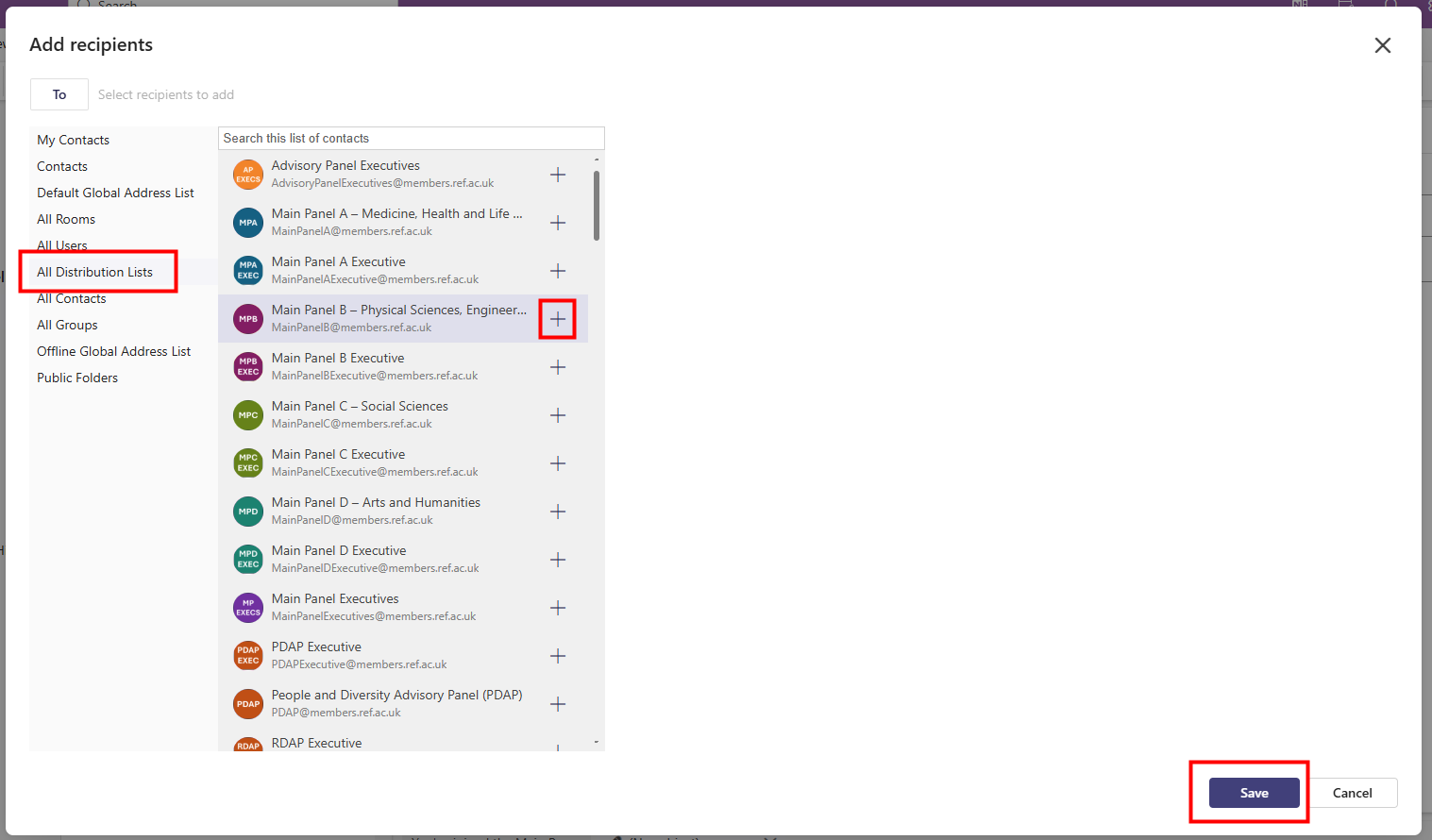
  • Click on All Distribution Lists
  • Find the distribution list you want and click on the + at the end of the row
  • Click on Save
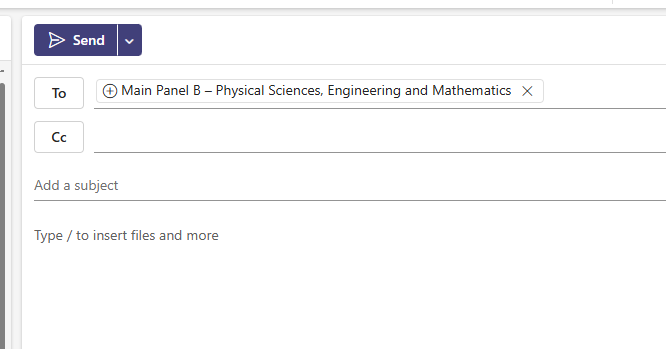
  • You can now continue composing your email as usual 


We want to make these articles as helpful as possible so please use the Yes/No buttons below to send us feedback.

Was this article helpful?

That’s Great!

Thank you for your feedback

Sorry! We couldn't be helpful

Thank you for your feedback

Let us know how can we improve this article!

Select at least one of the reasons
CAPTCHA verification is required.

Feedback sent

We appreciate your effort and will try to fix the article